The TL;DR
- The best graphics card for CS2 in 2026 is the Nvidia RTX 5070, thanks to its very fast 12GB GDDR7 VRAM and high bandwidth at a competitive price point.
- Some viable alternatives to the best CS2 GPU include the RX 9060 XT and Arc B580 from AMD and Intel, respectively, which are available very cheaply in the US, UK, and Europe.
- Counter-Strike 2 is primarily CPU bound with low GPU requirements, but you’ll still want a minimum of 8GB GDDR6 to have a chance of pushing higher framerates.
- CS2 doesn’t use any AI or upscaling technology based on sharpening, such as DLSS, which means you have to rely on the power of raw graphics to work well.
Take it from me, you’re going to want the best GPU for CS2 if you want to play Valve’s tactical shooter at the highest level. Although Counter-Strike 2 is very CPU bound, you will still need a capable graphics card to hit the highest possible framerates. I recommend aiming for 240fps to give yourself the best chance of getting the earphones if you’re playing competitively.
That being said, the best graphics card for CS2 in 2026 is not really expensive. The game uses the Source 2 engine, and while it’s demanding, it can still be gentle if you dial down your settings, whether you’re playing in 4:3 or 16:9. Add to my top picks for the right video card to help you get the most out of your in-game experience.
The best GPU for CS2 in 2026 at a glance
The CS2 system requirements are very low despite being ported to the Source 2 engine from CSGO. As a result, you only “need” a DX11 GPU with 1GB of dedicated VRAM. Now, I recommend at least 8GB GDDR6 or more as a base, especially for high frames, which is very important for esports. No, you don’t need an RTX 5090 or a high-end card, so I won’t waste your time and money recommending something unnecessary.
| Graphics cards for CS2 | MSRP / RRP |
|---|---|
| Nvidia RTX 5070 | $549 / £529 / €589 |
| AMD RX 9060 XT (16GB) | $349 / £315 / €349 |
| Intel Arc B580 | $249 / £280 / €312 |
1. Nvidia RTX 5070 – Best GPU for CS2

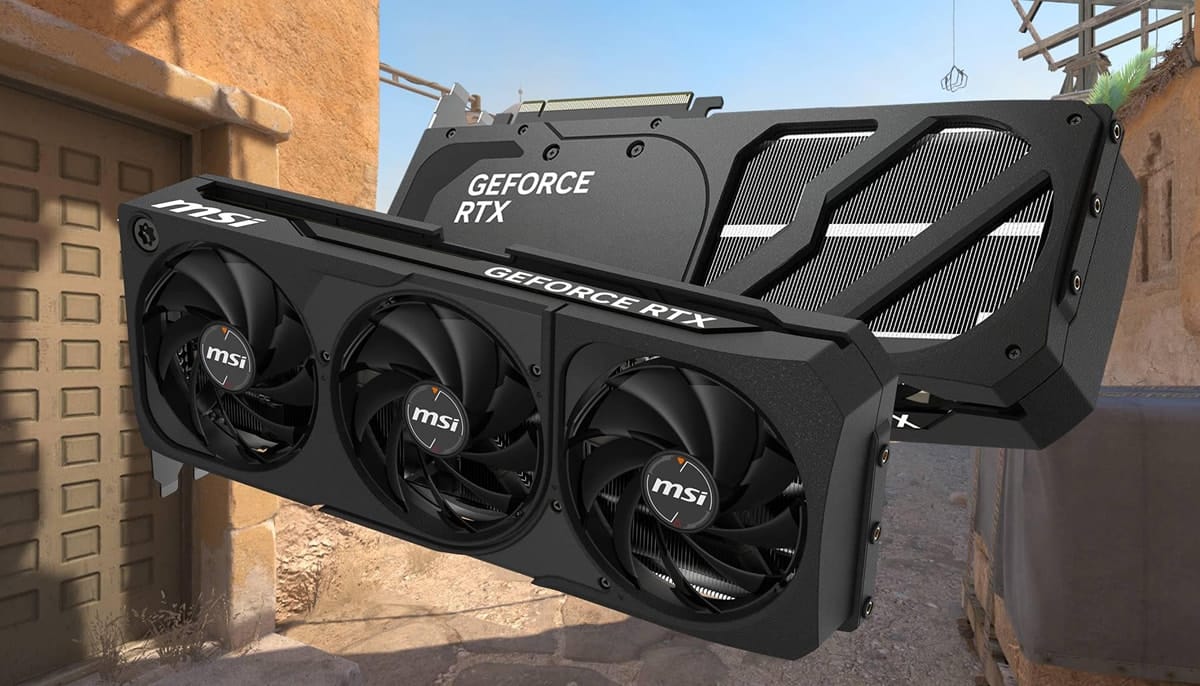
A mid-range Blackwell graphics card may lack the power of an 80-class or 90-class card, but it still has all the power to push CS2 at high framerates at 1080p and 1440p. You can get it around the $549 / £529 / €589 mark, depending on AIB or overclocking power. It features 12GB GDDR7 VRAM on a 192-bit memory bus with 6,144 CUDA cores, more than enough to push CS2 through 2026.
Most of the Nvidia-specific tech on the RTX 5070 won’t be much needed, but it will be useful for games other than Counter-Strike 2. The game doesn’t support DLSS or Frame Generation, not that you’d want it for a competitive title, but there’s enough green grunt from the GB205 that it’s not really dead. You won’t need a VRAM cap of 12GB at 1080p or 1440p, so there’s enough from the 672GB/sec bandwidth to keep the game running smoothly for a very long time.
2. AMD RX 9060 XT (16GB) – Best AMD GPU for CS2

The AMD RX 9060 XT is available for around $349 / £315 / €349, depending on partner and general availability, which is significantly cheaper than Nvidia’s mid-range offering. This graphics card has 16GB GDDR6 VRAM with 2,048 Stream processors on a 128-bit memory bus. You’ll be able to push CS2 to 240fps at 1080p easily thanks to the 322GB/sec bandwidth, but going up to 1440p consistently might be too much of a task here.
Considering the price-to-performance ratio, the AMD RX 9060 XT impresses me under the $400 mark, as you can match it with one of AMD’s best processors at a much more expensive price. You won’t be blown away by the incredible performance here, but in Counter-Strike 2, there’s no mistaking the power on offer, as that still gives you 4GB more in memory space than its direct rival, even if it’s much slower.
3. Intel Arc B580 – Best budget GPU for CS2

It may be hard to deviate from the more popular AMD and Nvidia options, but Battlemage is likely to crack the code for cash-strapped CS2 players in 2026. Team Blue’s wallet offering has 2,560 shadow units with 12GB GDDR6 VRAM and a 192-bit memory bus. It’s available for around $249 / £280 / €312, which is about as aggressive as things get from a price-to-performance POV.
It would have been hard to praise Alchemist for its driver issues and compatibility concerns, but there’s a big difference now with Battlemage. Drivers are consistent, build quality has improved, and availability in the US, UK, and Europe is much better than the previous generation. If you’re on a tight budget and still want to get the most out of CS2 at a high level, I think the Intel Arc B580 might be worth it.
The conclusion
You have many options for the best graphics cards for CS2, but my recommendations prioritize the best price performance across AMD, Intel, and Nvidia. An 8GB or 16GB VRAM enabled GPU will be more than enough for most people, and there’s really no need to spend more than $550 / £550 / €600 for competitive performance.
Frequently Asked Questions
What is the best GPU for CS2?
The RTX 5070 is the best GPU for Counter-Strike 2 in 2026 with its powerful performance, future-proof nature with 12GB of GDDR7 VRAM, and high bandwidth. You’ll be able to hit 240fps at 1080p and 1440p, no problem.
CS2 has low system requirements for its graphics, but relies heavily on a high-end processor to run. You don’t need the fastest GPU for gaming, but I think 8GB GDDR6 or more will be enough to keep up with the future.
Is RTX 3060 enough for CS2?
Once known as the gold standard CS2 budget graphics card, the RTX 3060 is now long in the tooth for many people. It came out five years ago, built on the Ada design, which has since been replaced by Ada and Blackwell. It’s enough if you have it, but I think you should spend money on a current RTX 50 series or AMD RX 9000 series card instead, unless you’re getting a great second hand one.
How do you configure GPU in CS2?
Finding the best settings for CS2 is more than just optimizing your GPU. I play in 4:3 with low settings to push game performance, as do many pro CS2 players, but you can scale certain things like smoke quality, textures, and lighting effects to improve FPS.