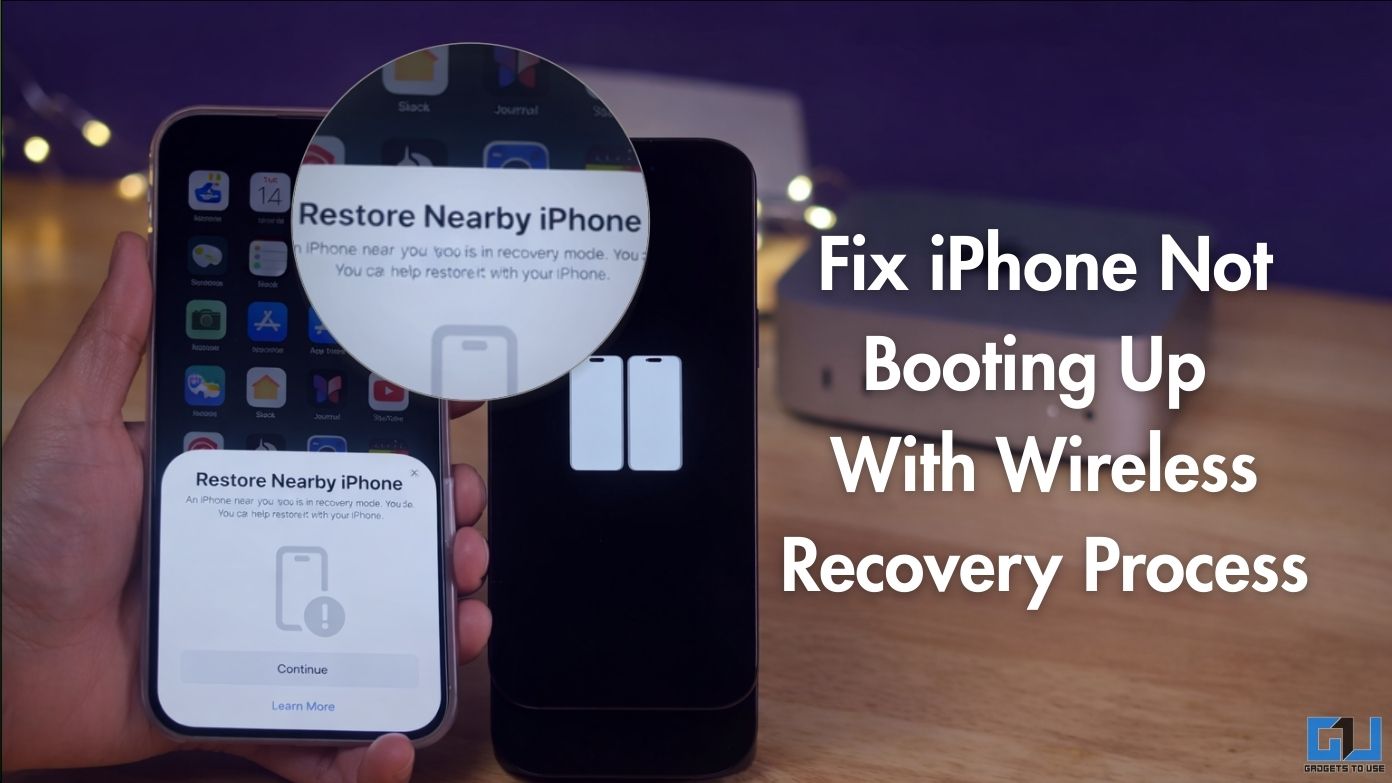
- When you bring an active iPhone near the affected iPhone, you will see a pop-up on the active iPhone that says “Restore Nearby iPhone”.
- After this, you will receive a code on the affected iPhone that you must enter on the iPhone used for recovery.
- Other causes that may lead to installation failure include weak internet, low storage, corrupted firmware package, or the phone’s battery dying during the update.
iPhones are great devices, but sometimes they can encounter problems or bugs that can disrupt the Apple experience. One such issue is iPhone not booting or stuck in recovery mode. The frequency of users reporting this has increased since the release of iOS 26. This has been a major update in recent years compared to previous versions of iOS. Users are reporting that their iPhones are turning off and not showing the Apple logo when they try to boot up. However, like most bugs, this can be fixed with some workarounds.
Fix iPhone Not Booting With Wireless Recovery
The operating system that works for your device depends on its version. If the affected device is running iOS 18, you can try ‘Restore Nearby iPhone’ way.
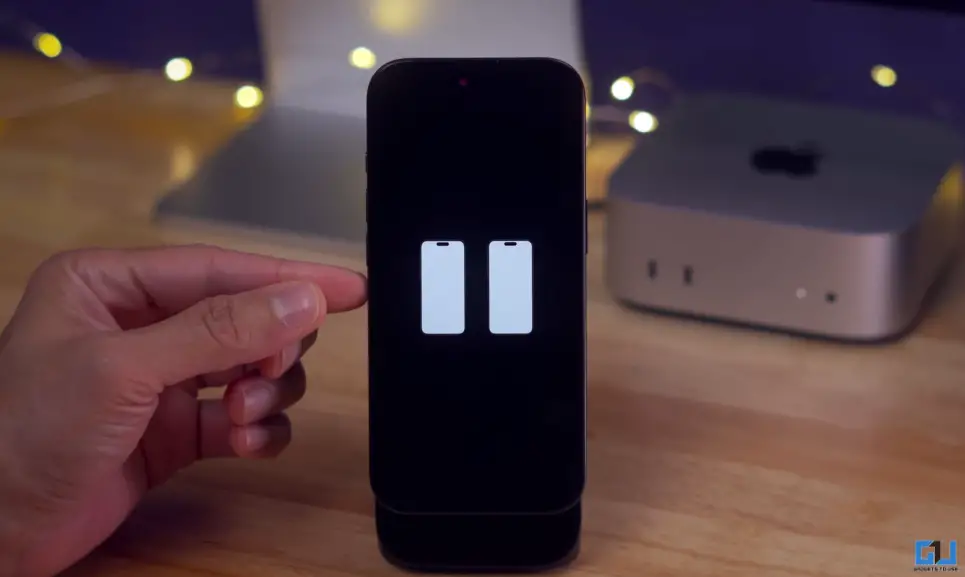
1. Your iPhone should show the silhouette of 2 iPhones on a black screen. This means you have to bring another iPhone or iPad running iOS 18 or later next to the affected device.
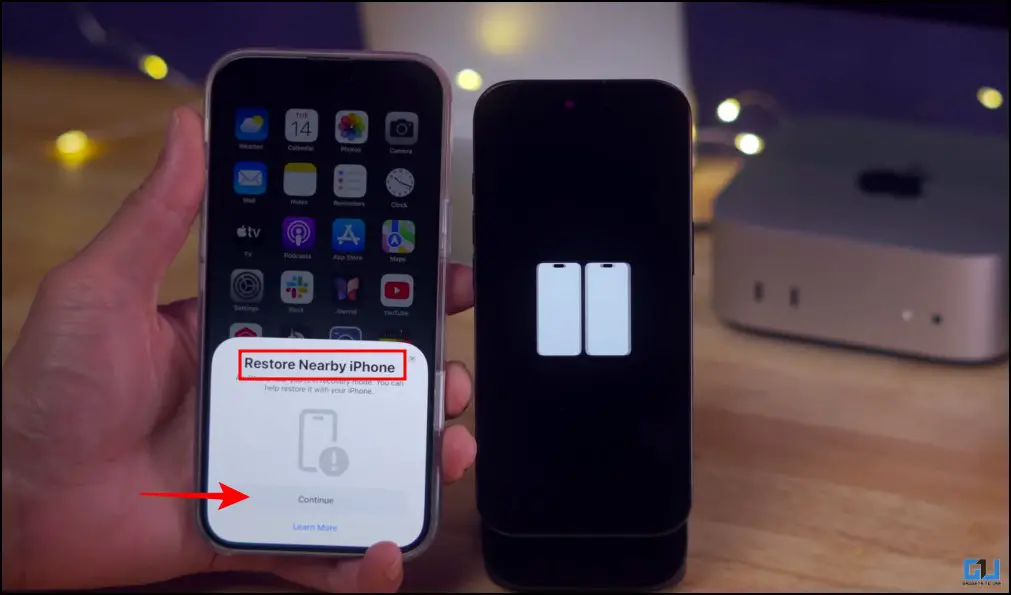
2. When you bring an active iPhone near the affected iPhone, you will see a pop-up on the active iPhone that says “Restore Nearby iPhone”. Now tap on ‘Continue’.
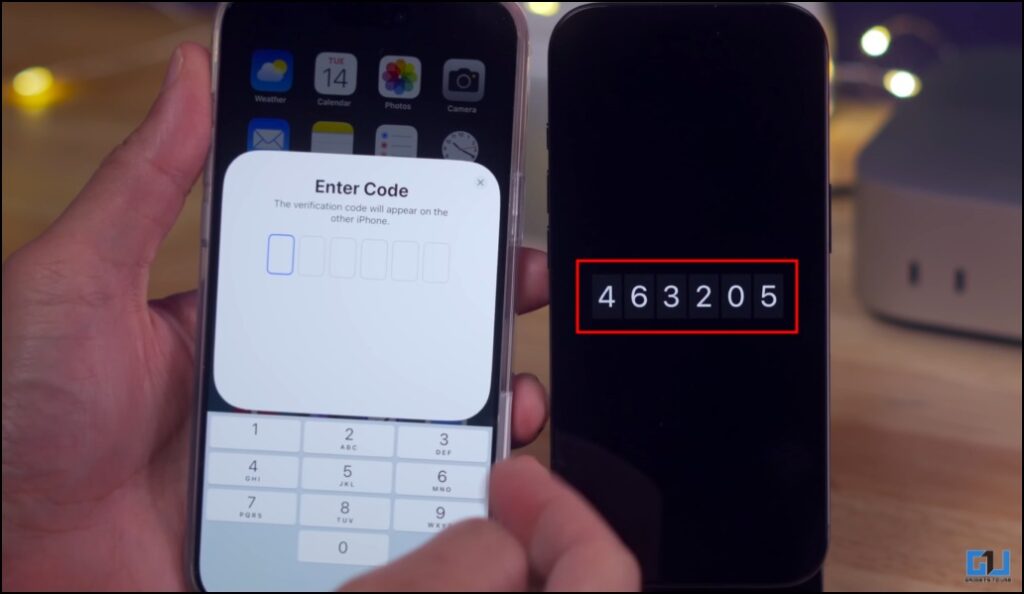
3. After this, you will receive a code on the affected iPhone that you must enter on the iPhone used for recovery.
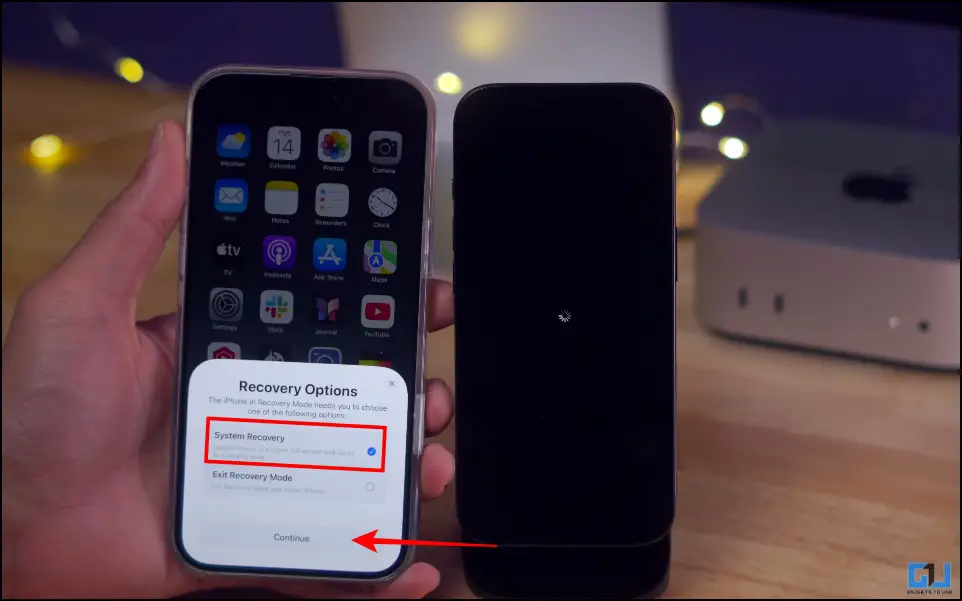
4. You will get the options of ‘System Restore’ or ‘Exit Recovery Mode’. Select ‘System Restore’, then press ‘Continue’.
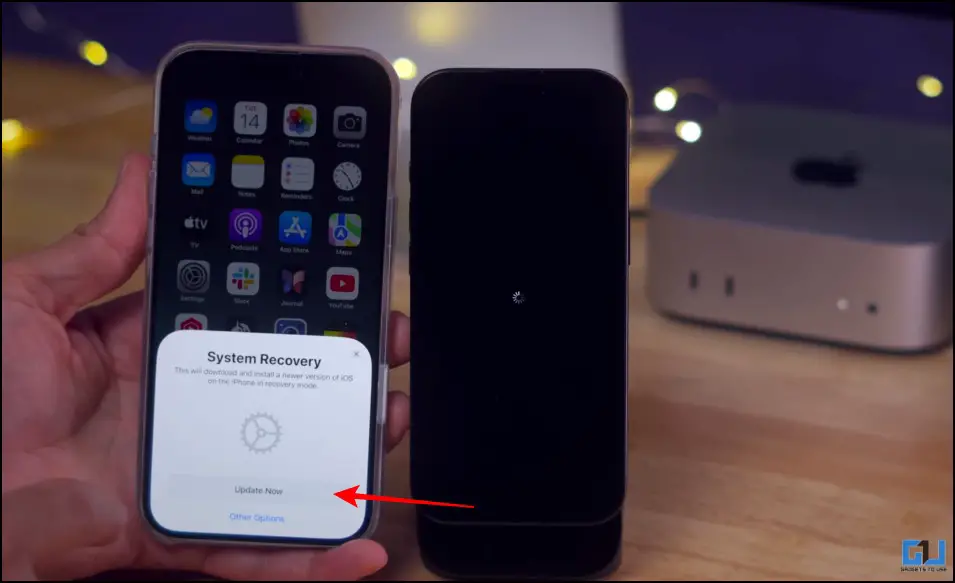
5. Now hit ‘Update Now’, and the process will start on both phones.
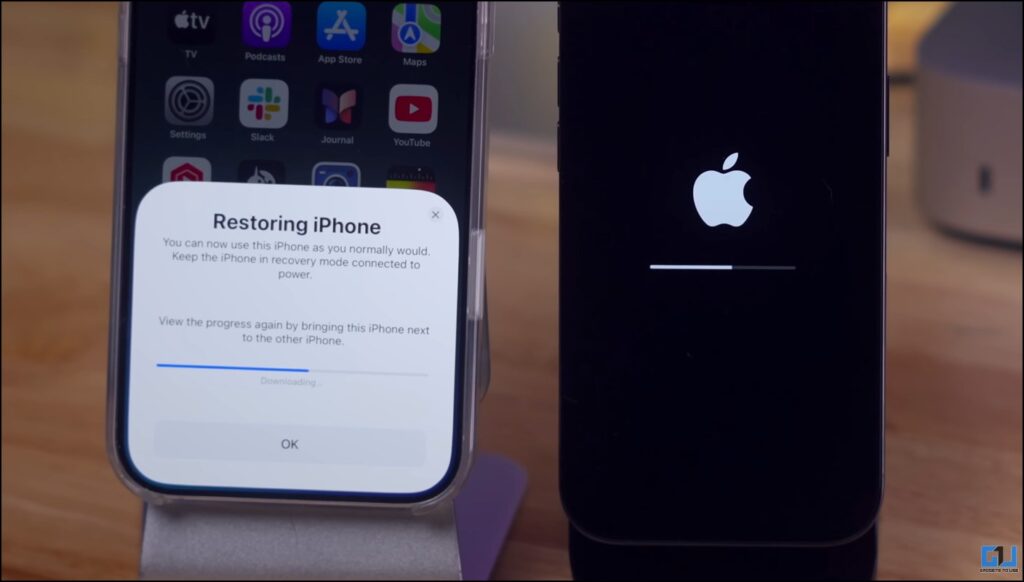
This will take time. If progress is made, the affected iPhone will be restored.
Why Does It Happen Exactly?
This usually happens while updating the program. This is because during the update, the system temporarily removes the key files while installing the new version of iOS. If the installation fails, the device cannot load the operating system. This causes the device to enter recovery mode. Other causes that may lead to installation failure include weak internet, low storage, corrupted firmware package, or the phone’s battery dying during the update.
Frequently Asked Questions
Q. What if ‘Restore Nearby iPhone’ doesn’t appear?
Make sure both devices are connected to the same Wi-Fi network, and have compatible versions. Open the recovery device and place it next to the affected device.
Q. Will my data be erased during wireless discovery?
In most cases, your data will be protected during and after recovery. However, it is suggested that you have a cloud or local backup if you have important data on your device.
Wrapping up
A phone that won’t turn on may sound like a panic situation, but it can be fixed with the ‘Near iPhone Restore’ method. This is a good feature, as Apple aims to reduce dependence on computers and make recovery accessible without visiting service centers. Although in regions where Apple devices are less common, traditional recovery methods will have to be used to repair your iPhone.
You may also like to read:
Have questions related to our how-to guides, or anything in the tech world? Check out our new GadgetsUsing an AI Chatbot free, powered by ChatGPT.
You can also follow us for the latest tech news at Google News or for tips and tricks, smartphone and gadget updates, join GadgetsToUse Telegraph Groupor subscribe to GadgetsUsing the YouTube Channel for the latest updated videos.
Was this article helpful?
YesNo