- If you are a Jio SIM user in India or a student, Google is currently offering a free subscription as an annual trial.
- This is because the output video adds camera movement, as if it was taken from a drone.
- I can control the camera movement of the drone shot in the AI generated video.
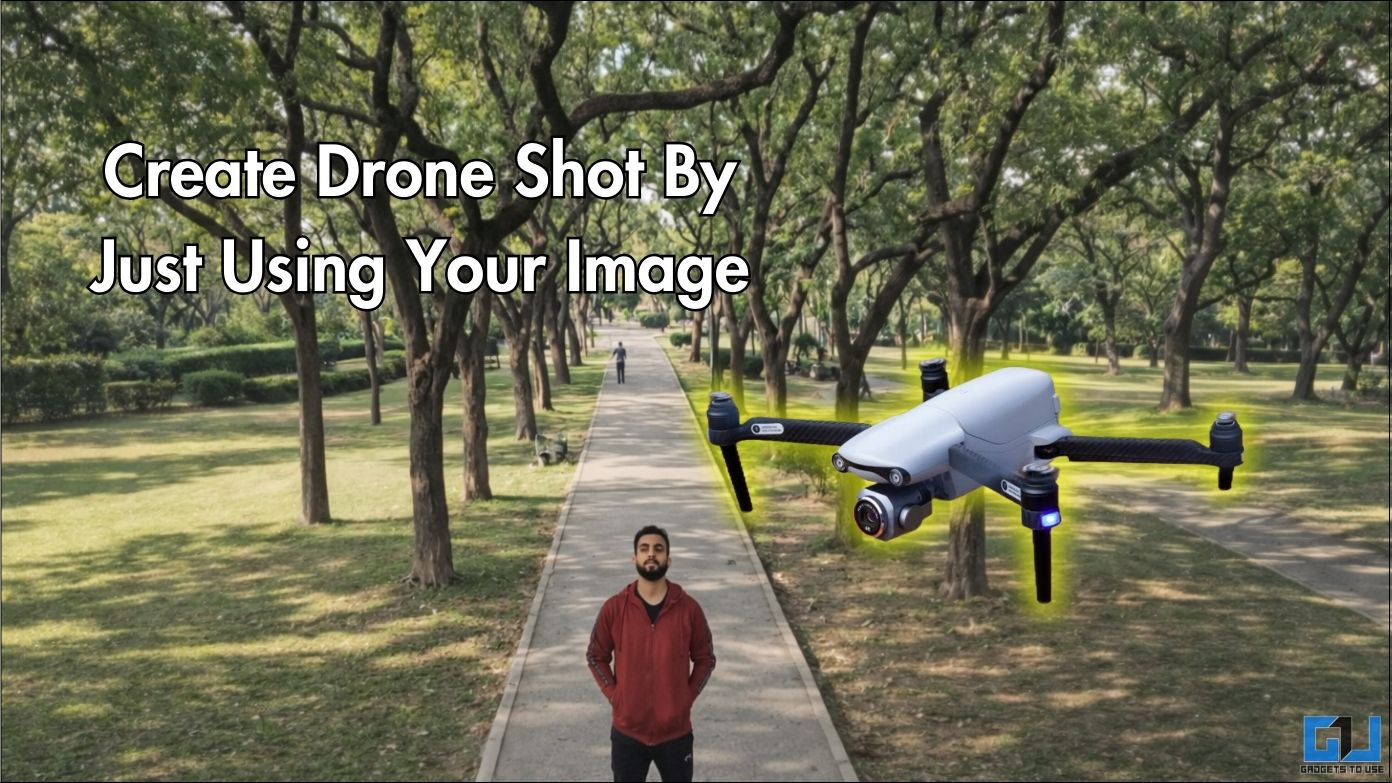
Images captured by drones engage viewers with the perspective they provide. But using drones is not easy and comes with many logistical challenges. Video processing with artificial intelligence has expanded the horizon as much as possible. You can make videos, just like drone footage, with just one photo. We will examine results from both free and paid platforms and compare their quality. We will see how they simulate camera movement, depth, and other details to create convincing images.
Testing Free and Paid Methods
Since this innovation, many platforms have introduced this feature. We will be testing Meta AI, which is a platform of Meta Inc. This is a free way to produce videos with one command. Next, we’ll test the Veo 3 with Gemini, which is Google’s platform. This feature requires at least a Google AI Plus subscription.
Free method: Meta AI
Mark Zuckerberg’s Meta AI now lets you create videos from still images. We can use this feature to create attractive drone photos.
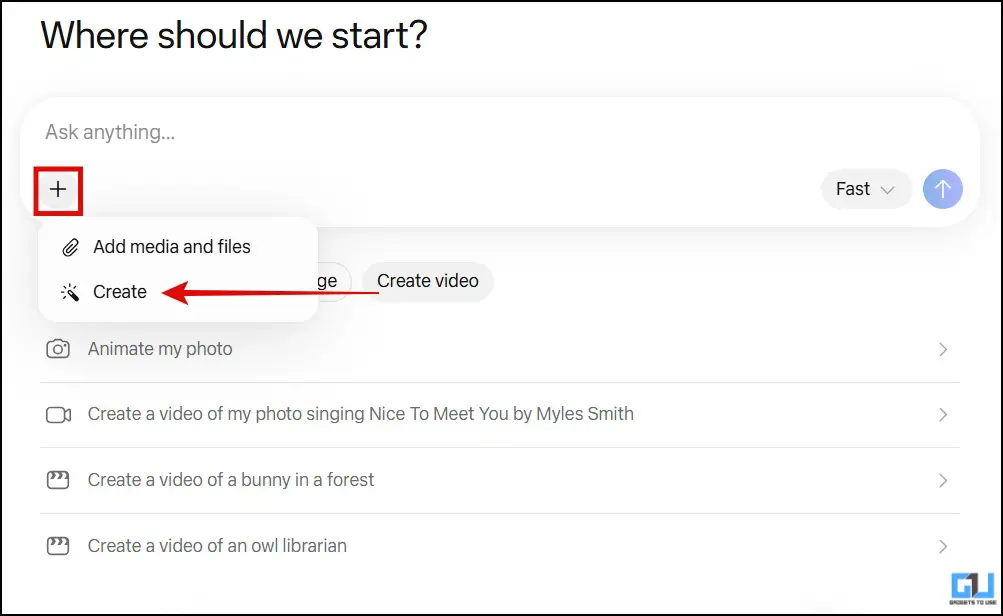
1. Open the official Meta AI website at meta.ai and log in with an Instagram or Facebook account. Click the ‘+’ icon and select ‘Create’.
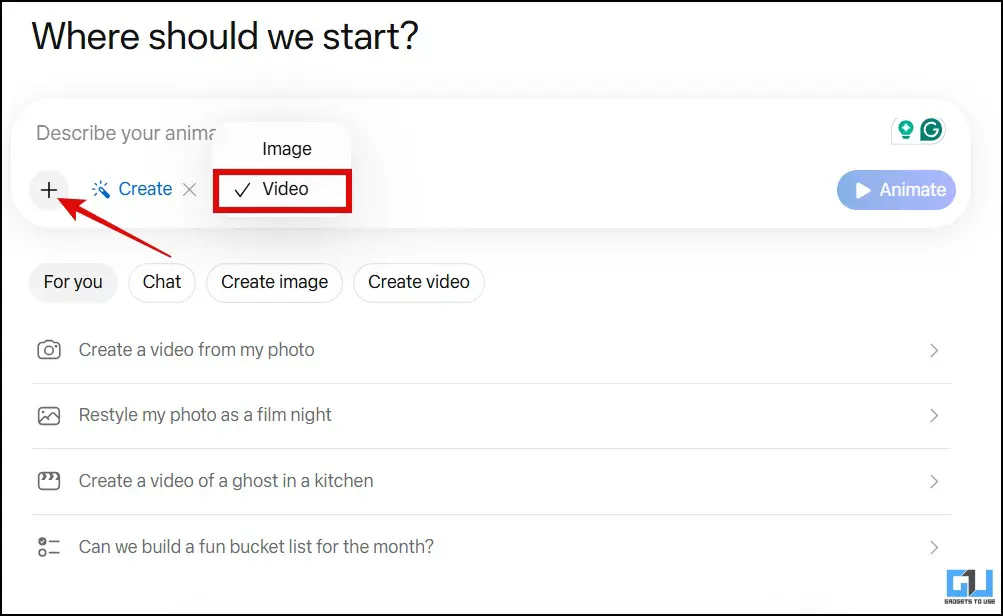
2. Make sure ‘video’ is selected, then click the ‘+’ icon again to upload the image.
3. After you upload the image, add this note: “Create a shot of the drone, as if the plane is rising into the sky. The image must start from the given image.” and press ‘Animate’.
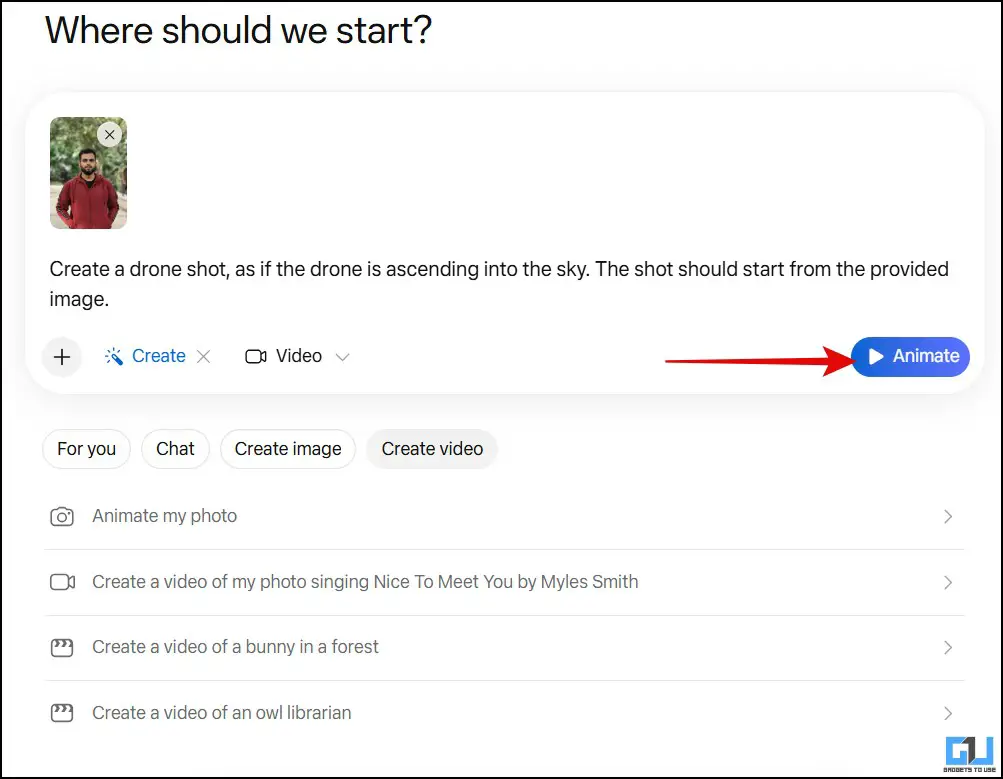
Soon, the video will be produced. You can add more information to edit it, and you will be able to download it.
Paid mode: Gemini (Veo)
Google’s Veo 3 is among the most advanced AI-powered video production models. However, it requires a paid Gemini Pro subscription to create meaningful videos. If you are a Jio SIM user in India or a student, Google is currently offering a free subscription as an annual trial.
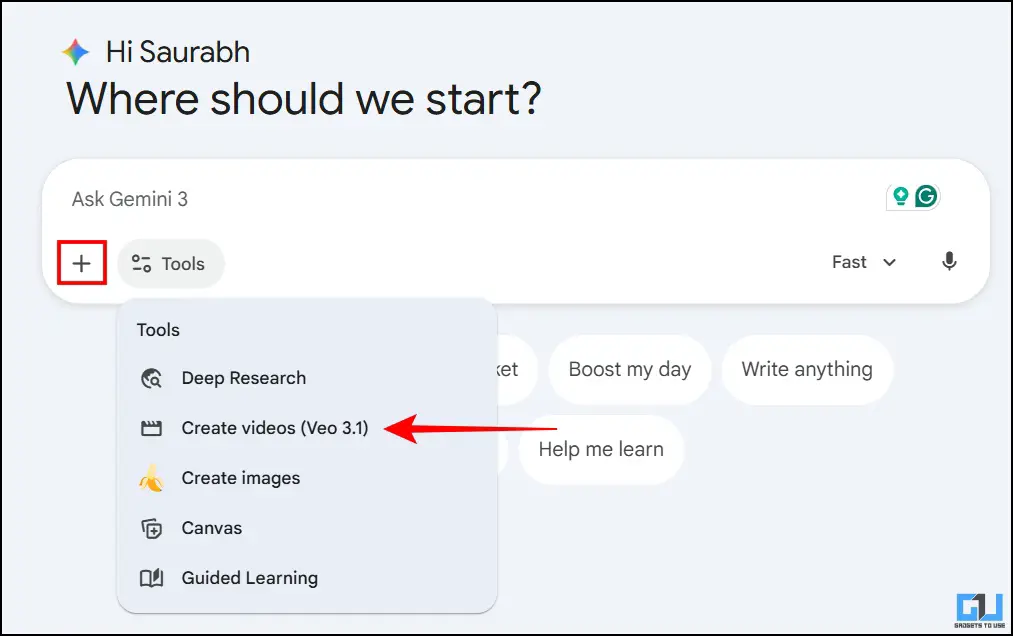
1. After opening a new dialog in Gemini, select ‘Create Videos (Veo 3.1)’ from the tools menu and click the merge icon to upload your image.
2. Now, enter the same command: “Create a drone, as if the drone is going up into the sky. The shooting should start from the given image.” and press Send.
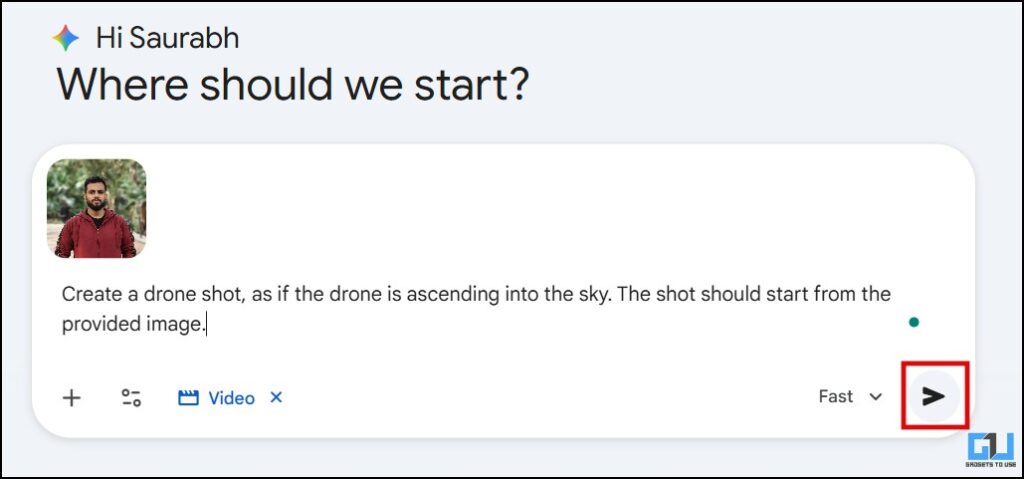
The video will be made in 1-2 minutes, and you can download it.
Differences in output quality
Meta AI: This produces great results if you want to try video production for fun. This is because the output video adds camera movement, as if it was taken from a drone. However, details are not maintained satisfactorily. One will be able to find out that this is a manufactured video. However, as mentioned, it is good if you want to have fun and share such videos with your friends.

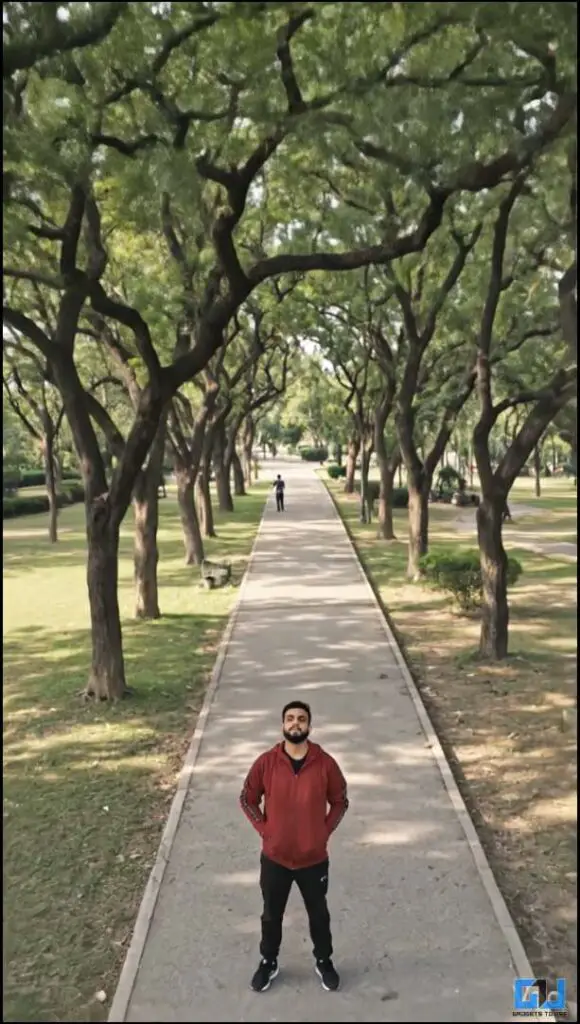
Veo 3.1 (Gemini): Compared to Meta AI, Google’s Veo 3 produces the best output compared to the free alternative. Despite the camera movement, which is really smooth, the video has a realistic depth, which makes it appear cinematic. Details are also better preserved. This image can be used to create professional content. Also, a background has been added to match the video.
Frequently Asked Questions
Q. Do I need a good quality image to generate a drone shot from a photo?
It is better to upload a high quality image to produce a better output. The AI will perform better if the image has good detail and clear background separation.
Q. Can I control the camera movement of the drone shot in the AI generated video?
To some extent, you can control it. It’s just that you can try to provide detailed information to get results according to your specific needs.
Wrapping up
Video production platforms free creators to support their imagination, especially when they have limited access. In my opinion, this can be a great start and help for your content creation process. However, it should not be relied upon completely. And if we look at the results, Veo 3.1 edges ahead of Meta AI. But as you know, quality comes at a cost, and here it is, Google AI Plus subscription.
You may also like to read:
Have questions related to our how-to guides, or anything in the tech world? Check out our new GadgetsUsing an AI Chatbot free, powered by ChatGPT.
You can also follow us for the latest tech news at Google News or for tips and tricks, smartphone and gadget updates, join GadgetsToUse Telegram Groupor subscribe to GadgetsUsing a YouTube Channel for the latest updated videos.
Was this article helpful?
YesNo