- “I am in the first picture, and I want the person in the second picture to be removed, everything else in my first picture should be the same, except me.
- Everything remains the same, including the voice, body movements, background, and lighting, except for the person in the video.
- Once the video is generated, download it and enjoy sharing it with your friends and on social media.
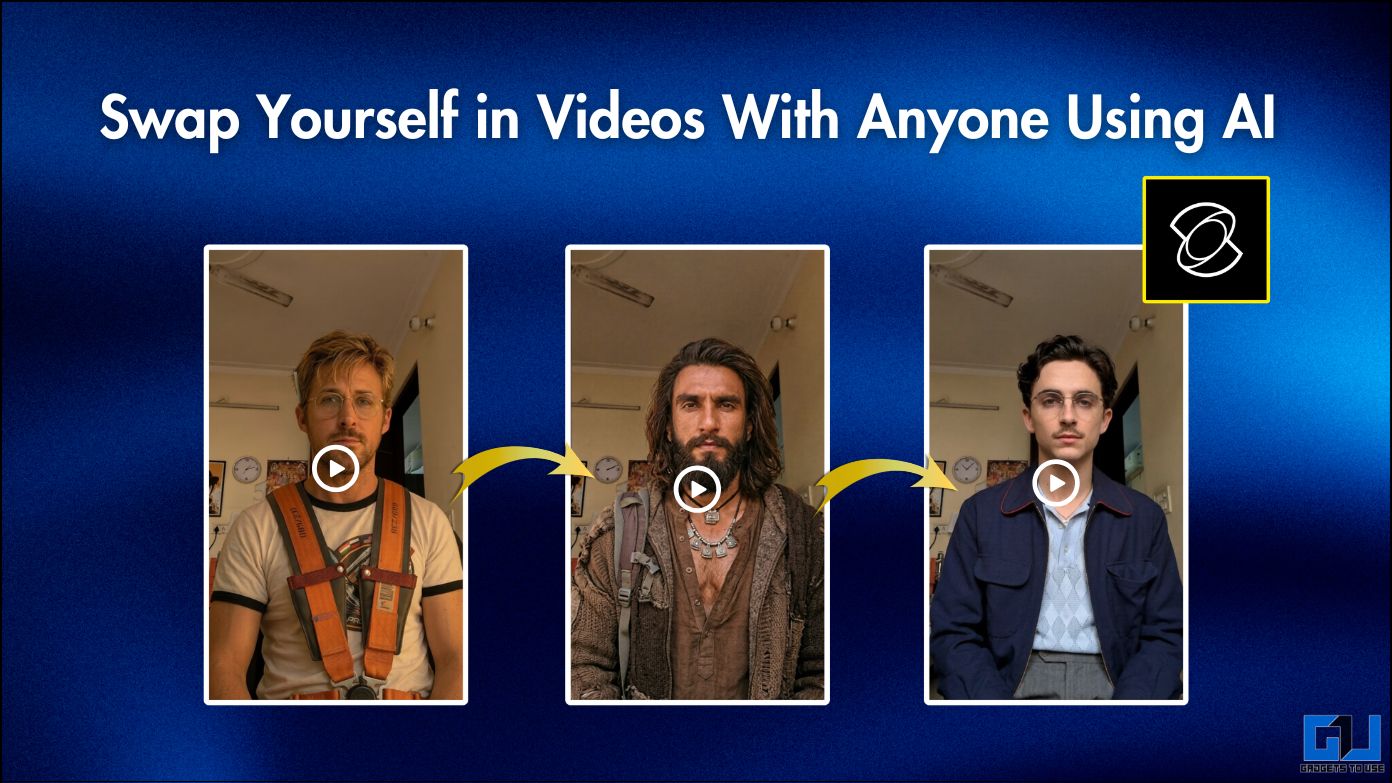
There is a new trend of AI video streaming. In this case, people make videos where they swap with their favorite character. Everything remains the same, including the voice, body movements, background, and lighting, except for the person in the video. And we know how advanced AI video creation has become. So much so that it would be really difficult for someone with little knowledge to say whether it is true or not. However, you can try it again and enjoy the tool. Just follow the step by step guide below.
Transform Yourself With Videos Anyone Using AI
Recently, many video production platforms have appeared, which focus on changing faces. Especially since OpenAI announced that Sora will be discontinued, many new tools have also gained popularity. The tool we will use is KlingAI 2.6 from the KIE API.
Steps To Edit Videos Anyone Using Kling AI
1. Record video facing the camera. Then, take a screenshot of the frame in the video.
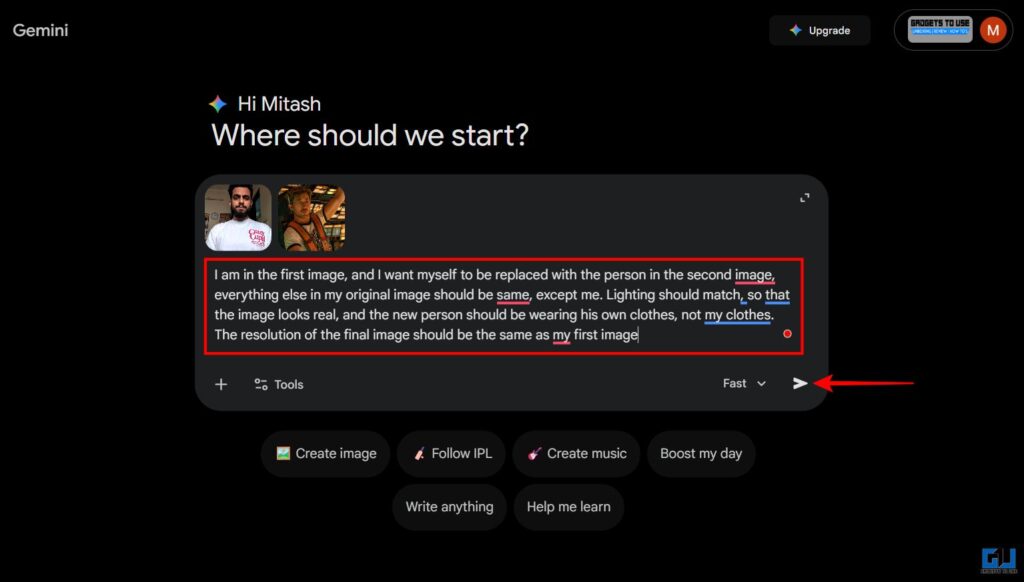
2. Open Google Gemini. Upload a screenshot and a picture of the character you want to replace. After that, copy this notification and paste it in the chat:
“I’m in the first picture, and I want myself to be replaced by the person in the second picture, everything else in my original picture should be the same, except me. The lighting should be the same, so that the picture looks real, and the young person should wear his clothes, not my clothes. The resolution of the final image should be the same as my original image“. Hit Enter.
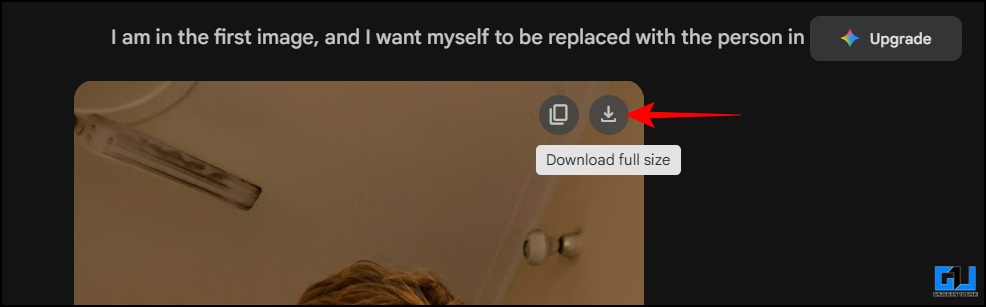
3. A photo will be produced featuring the actor. Download it.
4. Open the Kling AI 2.6 Motion Control model. Scroll down a bit and delete the sample image under input_urls. Now, upload the image you made to Gemini. Make sure the image file size is less than 10 MB.
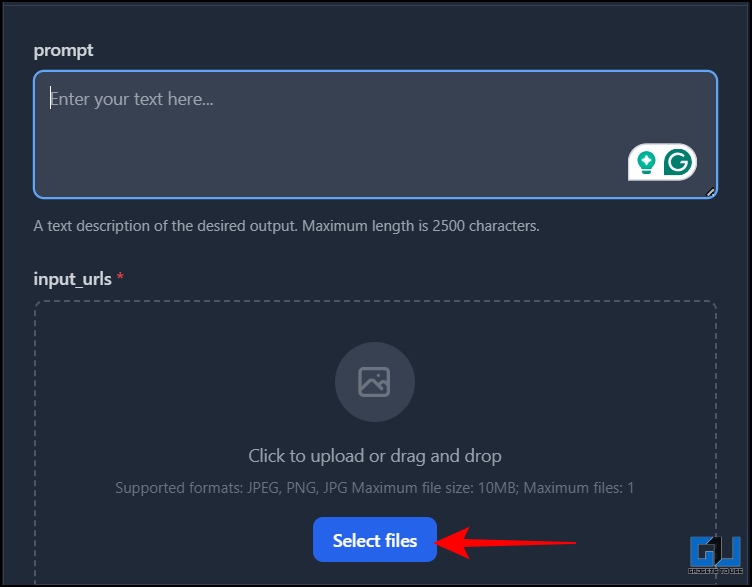
5. Scroll further and delete any video sample there. Then upload the video you are looking at the camera. Also, make sure the video file size is less than 100 MB.
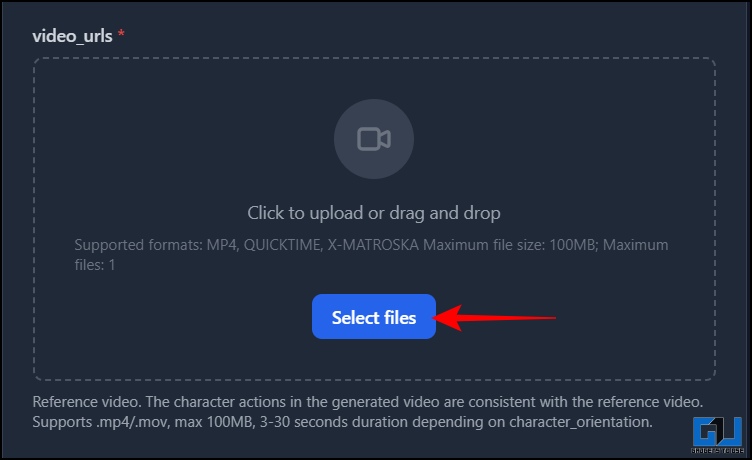
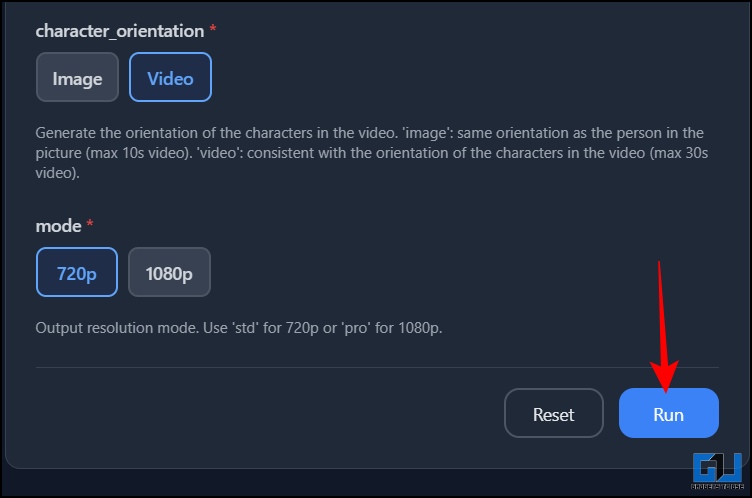
6. After that, scroll down a bit and make sure ‘video’ is selected under direction_direction. Also, select the video quality under ‘mode’. As you hit ‘Run’, you will be asked to login. You can sign in with your Google or Microsoft account. Click ‘Run’ again after logging in.
7. Processing will start, and it will take about 8-10 minutes to generate the video.
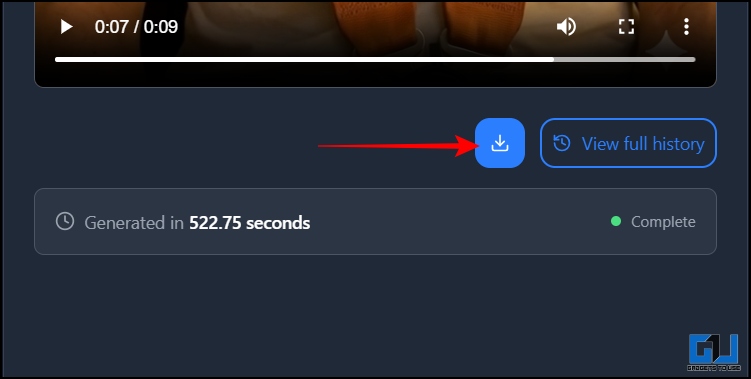
Once the video is generated, download it and enjoy sharing it with your friends and on social media. In the meantime, remember that you should avoid uploading your private photos or videos to forums like these. In addition, you should not upload someone’s photos or videos without their permission or misuse the tool in any way.
Frequently Asked Questions
Q. Is Kling AI free to use?
The first video you produce will be free, after that you will have to buy credits to produce videos.
Q. Can I swap with someone in any video?
You can swap with someone in any video. However, make sure the video is well lit and look at the camera.
Wrapping up
It’s exciting to see the capabilities of AI growing day by day. You can be your favorite character or recreate viral scenes and make memes or reels. The possibilities are endless. So, you have to give it to yourself. In addition, for best results, use well-lit video and high-resolution images. To avoid distortion, avoid fast movements while shooting video. Also, make sure you use these tools correctly. Importantly, you should not use the tool to impersonate yourself.
You may also like to read:
Have questions related to our how-to guides, or anything in the tech world? Check out our new GadgetsUsing an AI Chatbot free, powered by ChatGPT.
You can also follow us for the latest tech news at Google News or for tips and tricks, smartphone and gadget updates, join GadgetsToUse Telegraph Groupor subscribe to GadgetsUsing the YouTube Channel for the latest updated videos.
⬇️ Site Search Gadget ⬇️
You can find anything on our website, including tech how-to, solution or review using the google site search box below.
Was this article helpful?
YesNo