How to Link or Renew Indian Driving License with Mobile Number (All States)

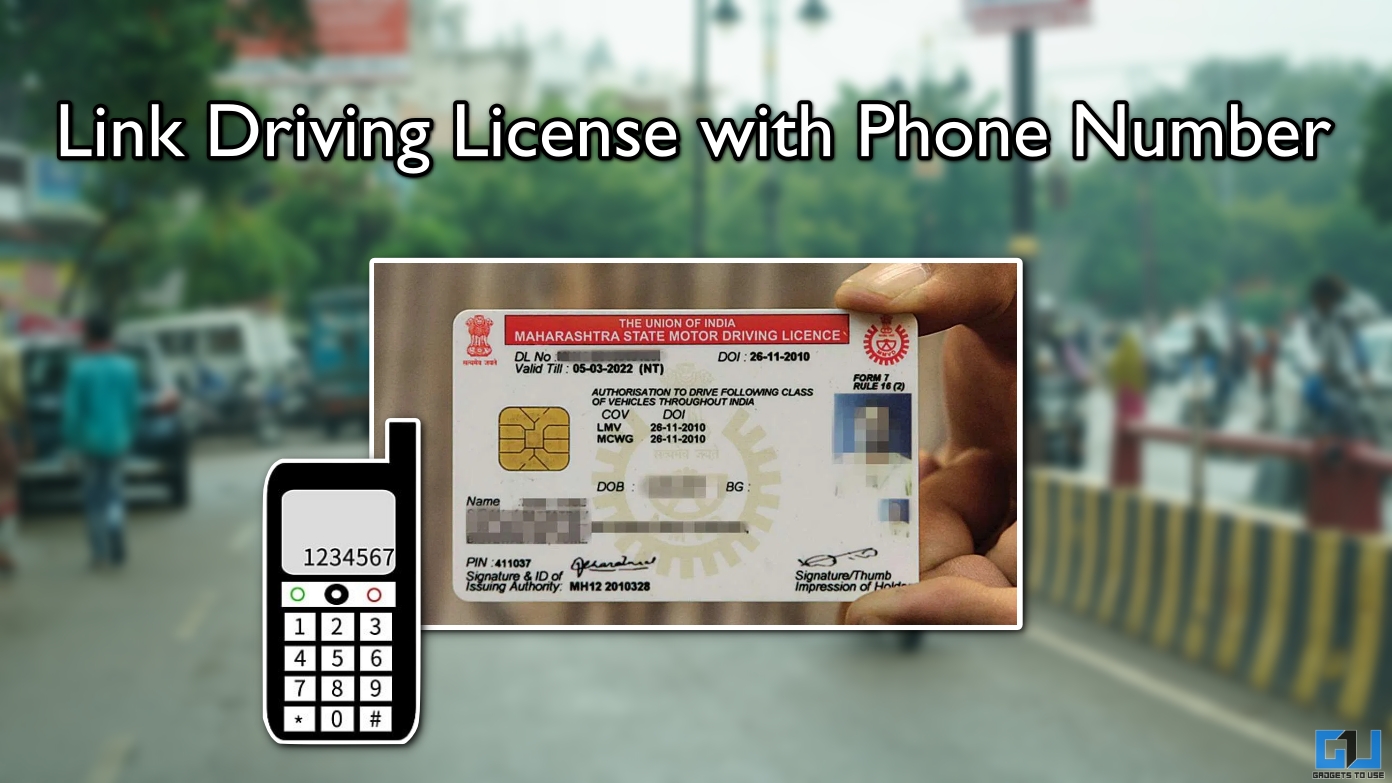
- If you have a driving license in India, then the Road Transport Department has brought an important change, asking you to update it and link it with your latest mobile number.
- From improving your license security to getting the latest updates from the government, here are some key benefits of linking your driver’s license to your phone number.
- Since the government has made it mandatory to link your phone number to your driver’s license, failure to do so may attract a fine.
If you have a driving license in India, then the Road Transport Department has brought an important change, asking you to update it and link it with your latest mobile number. The order was issued so that citizens do not have a missing or invalid number attached to their official documents, which could lead to identity theft and other privacy risks. Here is a detailed guide on how to link your mobile number with your driving license using Parivahan official website.
Link Driver’s License and Phone Number
The Roads Department has two portals: Vahan and Sarathi. Vahan portal includes services related to cars, such as RC, transfer of ownership, certificate of fitness, number plate, etc. Sarathi portal handles services like driver’s license, learner’s license, transport license, and other similar services. To update or link your driver’s license and phone number, we need to visit the Sarathi portal. Follow these steps:
1. Open the mobile number update page at sarathi.parivahan.gov.in in any web browser.
2. Enter your driver’s license number, date of birth, and country.
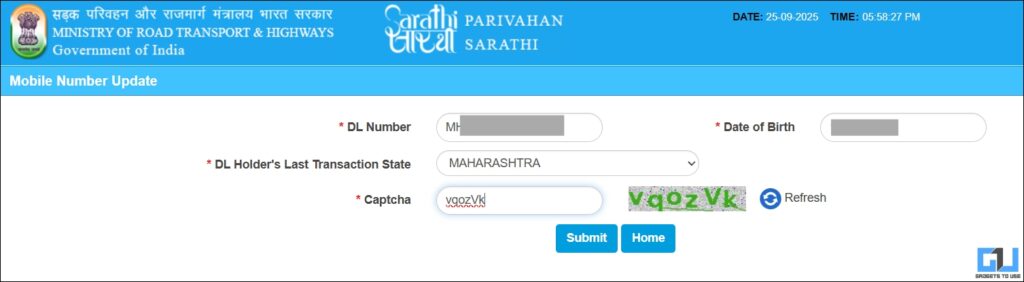
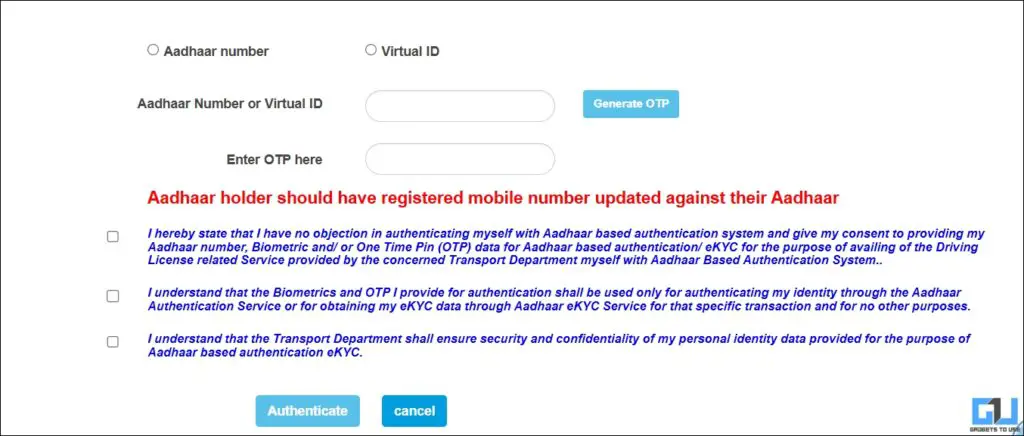
3. Verify yourself by entering your Aadhaar number and sending OTP with your UIDAI registered number.
4. Check that your personal information is correct. Click Continue.
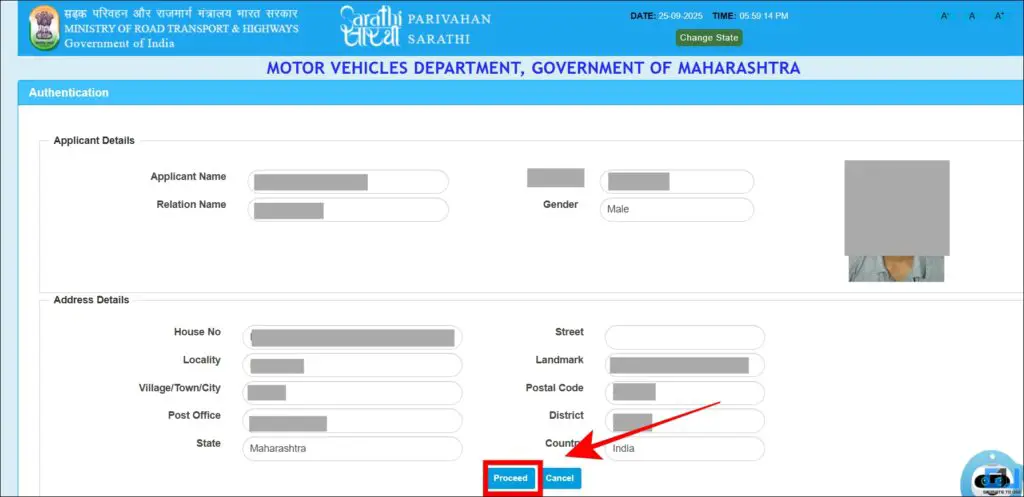
5. If you have not connected a mobile number, you will get an option to add a number. If you already have an old phone number connected, you will get an option to update the number.

6. Enter your number, and verify it using OTP.
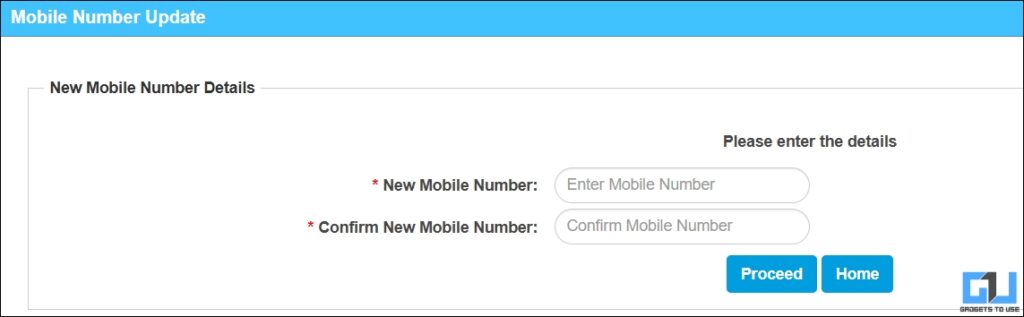
Your driver’s license will be linked and updated successfully with the mobile number provided.
Benefits of Linking a Driver’s License to a Mobile Number
From improving your license security to getting the latest updates from the government, here are some key benefits of linking your driver’s license to your phone number.
- You get SMS alerts if someone tries to use your license information to impersonate you or for any other purpose.
- Your personal information is secure and cannot be modified by a third party unless you authorize it with your OTP.
- If you have a pending validation or extension of your license validity, you will be notified directly. This gives you enough time to update or update any information.
- Since the government has made it mandatory to link your phone number to your driver’s license, failure to do so may attract a fine.
Frequently Asked Questions
Q. Do I need to visit the RTO to update the driving license number?
You can update your driving license phone number online on Sarathi website, without going to RTO.
Q. Is there a cost to update a licensed mobile number?
No, there is no cost to update or link a phone number to your driver’s license. You can do it for free on the official Sarathi portal at parivahan.gov.in.
Q. What if I don’t link the phone number to the driver’s license?
Since the Department of Roads has mandated all citizens to link their phone numbers to their driver’s licenses, failure to do so may result in fines. Your license may also be suspended in some cases.
Wrapping up
Under new rules from the Ministry of Road Transport, it is now mandatory to link your license to your phone number. You can do it for free, that too without going to your local RTO, as the process can be completed on the Sarathi portal. Make sure you keep your latest information updated on all documents.
You may also like to read:
Have questions related to our how-to guides, or anything in the tech world? Check out our new GadgetsUsing an AI Chatbot free, powered by ChatGPT.
You can also follow us for the latest tech news at Google News or for tips and tricks, smartphone and gadget updates, join GadgetsToUse Telegraph Groupor subscribe to GadgetsUsing the YouTube Channel for the latest updated videos.
⬇️ Site Search Gadget ⬇️
You can find anything on our website, including tech how-to, solution or review using the google site search box below.
Was this article helpful?
YesNo